In this hyper-competitive market of Dubai, where luxury, innovation, and visual storytelling collide, business owners often find themselves at a crossroads. You have likely experimented with AI image generation, prompting a tool to “create a modern logo for a real estate firm” or “generate a social media post for a boutique cafe.”
At first glance, the results would be impressive. They are fast, virtually free, and look “decent,” but then reality sets in. Your brand looks remarkably similar to a dozen others on Instagram. Your high-stakes brochures lack the “premium” feel that Dubai’s elite clientele expects. Your marketing collateral doesn’t quite convert.
The real question is about AI vs. humans: whether you want a generic placeholder or a strategic asset. While artificial intelligence offers remarkable speed, professional graphic design services in Dubai can provide strategy, cultural nuance, and originality essential for building a brand that lasts.
Why AI Design Tools Feel Like the Perfect Solution (At First)
For a startup or an SME, AI design tools feel like a superpower. They effectively eliminate those tedious manual tasks that used to take days. Here is why they appear to be the “perfect” solutions initially:
- Instant Ideation and Speed: AI excels at rapid prototyping. You can generate dozens of variations for mood boards or logos in seconds, saving hours of manual sketching.
- Removal of Technical Hurdles: Features like Generative Fill and background removal allow anyone to perform complex edits without needing to master software like Adobe Illustrator or Photoshop.
- Accessibility: It democratizes design. Non-designers can create functional visuals immediately, overcoming “creative block” by seeing unexpected combinations of styles.
- Immediate Professional Results: At a glance, AI-generated designs are often aesthetically polished and on-trend, satisfying the need for quick, high-volume social media content.
Why the Perception Shifts: The “But” Behind the Perfection
While AI acts as a tireless junior assistant, its limitations become glaring as your business grows. You may notice:
- Lack of Originality: AI relies on existing datasets. It doesn’t “create”; it predicts patterns. This often leads to visuals that feel “soulless” or emotionally disconnected.
- Consistency Issues: Try generating the same character or brand style across ten different scenes for a campaign. AI often fails to maintain the rigid brand coherence required for professional credibility.
- Editing Difficulties: “Fixing” an AI-generated file to be print-ready often takes longer than creating it from scratch because the AI doesn’t understand vector layers or spatial logic.
Where AI Starts Falling Short (What You May Have Already Noticed)
In 2026, the “AI-look” is becoming more easily recognizable, and for a premium brand, that’s a liability. Here is where AI tools like Midjourney or DALL-E 3 fall short in producing functional strategic design.
Inconsistent Text and Typographic Accuracy
AI sees text as visual patterns, shapes, and pixels rather than language, which can lead to misspelled words, garbled characters, or backward letters. For a professional brand, a typo in a logo or a billboard is a reputation killer.
“Perfectly Sterile” – Lacking Soul and Empathy
AI calculates the “statistically pleasing” result. The outcome is often safe and generic. Human designers, however, infuse designs with empathy and cultural nuance, creating a “human touch” that resonates emotionally with specific audiences.
Difficulty with Complex Briefs and Nuance
Clients rarely know exactly what they want in a single prompt. A digital creative agency in Dubai interprets the “why” behind your brief. AI requires literal, precise prompting; it cannot navigate the ambiguity of a client’s request to “Make it feel more prestigious but approachable.”
The Inability to Innovate
AI is a recycler of trends. It regurgitates and averages what already exists. To lead a market, you need to break new ground. AI can only chase the average of what has already been done.
What Changes When You Work with Professional Graphic Design Services in Dubai
Transitioning from AI tools to a professional creative design agency in Dubai can elevate your brand from a digital image into a high-conversion business asset. In a city where 94% of first impressions are design-based, the professional touch is not a luxury; it is a much-needed requirement.
Cultural & Local Expertise
Dubai is a unique melting pot of tradition and extreme modernity. Professional designers understand which color palettes signal “luxury” to the local market and ensure that Arabic and English typography work together seamlessly. This is something AI, trained on Western-centric datasets, often gets wrong.
Strategic Brand Positioning
A professional service does not just make a logo. They build a cohesive visual identity by studying your competitors, analyzing your target demographics, and creating designs that compel action.
High-End Technology & Scalability
Professionals deliver vector files, infinitely scalable designs. Whether it’s a business card or a billboard on Sheikh Zayed Road, the quality remains “pixel-perfect.” Agencies also integrate 3D modeling and Augmented Reality (AR), which are becoming standard in Dubai’s fashion and tech sectors.
How a Creative Design Agency in Dubai Actually Helps You
Unlike a tool that waits for a real prompt, a creative design agency in Dubai acts as a strategic partner. They can provide a team with art directors, designers, and brand strategies to ensure your visual narrative is consistent across every touchpoint.
- Full-Spectrum Visual Branding: They ensure your corporate identity (stationery, business cards) matches your packaging design and digital ads.
- Digital & Social Media Domination: Agencies craft engaging UI/UX for websites and motion graphics for social media that increase brand visibility and lead generation.
- Strategic Growth & ROI: Top agencies focus on ROI-driven design. They don’t just create “nice” pictures; they create visuals that drive sales.
- Time & Cost Efficiency: For many SMEs, outsourcing to an agency is more cost-effective than hiring an in-house team, removing the overhead of recruitment, training, and expensive software licenses.
Real Example: Why Real Estate Brands in Dubai Can’t Rely on AI
In the Dubai property market, decisions involve millions of Dirhams. Real estate graphic design in Dubai requires a level of trust that AI simply cannot generate.
A generic AI-generated render of a villa might look okay, but it lacks the strategic storytelling needed to sell a lifestyle. Investors look for:
- Premium Brochures: High-tactile feel and sophisticated layouts.
- High-End Digital Ads: Visuals that reflect specific community vibes (e.g., Downtown vs. Palm Jumeirah).
- Authenticity: Buyers can sense “AI-slop.” When a brand uses custom, professionally designed assets, it signals stability and credibility.
Why Many Businesses Shift to a Digital Creative Agency in Dubai
Many brands start with a DIY AI, but eventually hit a ceiling. They realize that while they are saving money on design, they are losing money due to missed opportunities. A digital creative agency in Dubai provides:
- Consistent Content: Your brand looks the same on mobile as it does in a physical storefront.
- Better Campaign Performance: Professionally designed ads typically see higher click-through rates because they are built on psychological design principles.
- Stronger Brand Recall: Unique, bespoke designs are far easier for customers to remember than template-based AI visuals.
At Moonbox, we bridge the gap between imagination and execution. We understand the pain of inconsistent branding and designs that don’t convert. Our goal is to ensure that, in Dubai’s crowded market, your brand doesn’t just exist, it leads.
The Truth: It’s Not AI vs. Designers, It’s How You Use Them
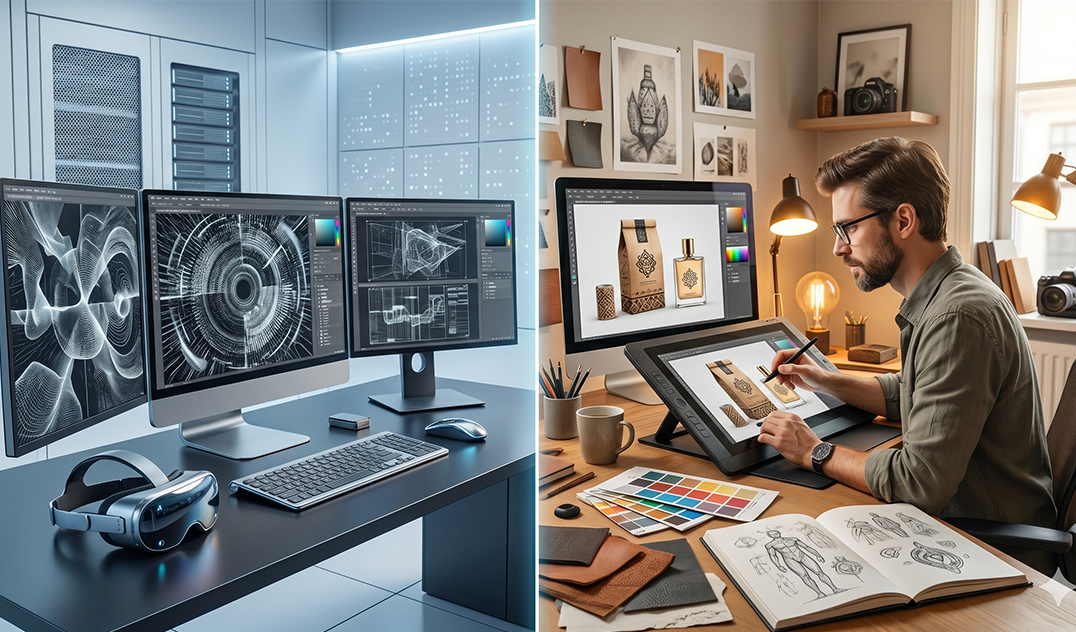
The most successful brands in 2026 recognize that AI is a powerful assistant for the first 60% of a task, such as brainstorming, rough layouts, and ideation. However, the last 40%, the production details, brand fit, cultural alignment, and emotional impact, require the human touch.
Professional designers use AI to speed up the “boring” parts so they can spend more time on the “thinking” parts. The result? A brand that is efficient yet deeply human.
What’s the Right Choice for Your Brand?
If you need a quick, one-off visual for a casual post, AI tools are an excellent resource. But if you are building a brand intended to attract premium clients, foster trust, and scale in the UAE’s competitive landscape, investing in professional services is the only way forward.
If your brand isn’t getting noticed in Dubai, it might not be your product; it might be your design.
Ready to make your brand stand out in Dubai? Let’s create designs that actually convert, not just look good. Contact Moonbox Today.
FAQ
- Are professional graphic design services in Dubai better than AI?
Yes, for long-term branding. While AI is faster at basic tasks, professional graphic design services in Dubai offer strategic thinking, custom vector files, and cultural nuance that AI cannot replicate. Professionals ensure your brand is unique and legally protectable, whereas AI-generated logos often face trademark risks.
- How much does a creative design agency in Dubai cost compared to AI tools?
AI tools are typically subscription-based and low-cost, but they lack the ROI of professional work. A creative design agency in Dubai offers a comprehensive team (strategists, designers, and directors) that builds a brand identity designed to increase conversions, making it a more cost-effective investment for business growth. - Can AI-generated logos be trademarked in the UAE?
Currently, AI-generated content faces significant legal hurdles regarding copyright and trademarking because it is not “human-authored.” For businesses in Dubai, working with a professional designer ensures that your logo is an original creation, protecting you from future trademark infringement or ownership disputes. - Why should real estate companies in Dubai avoid using only AI for their branding?
Real estate graphic design in Dubai requires high-trust, luxury visuals. AI often produces generic or distorted architectural elements that can look “cheap” to savvy investors. Professional designers create bespoke, high-end brochures and ads that reflect the specific prestige of the Dubai property market. - What are the benefits of hiring a digital creative agency in Dubai?
A digital creative agency provides consistent branding across all platforms, high-quality UI/UX design, and culturally relevant marketing. They understand the local market trends for 2026, such as organic textures and AR integration, ensuring your brand stays ahead of the competition. - Does AI replace the need for professional graphic designers?
No. In 2026, AI is viewed as a tool for efficiency, not a replacement for creativity. Professional designers use AI to handle repetitive tasks, allowing them to focus on high-level strategy and emotional storytelling that truly connects a brand with its audience.